
Bosu Export Tool
·
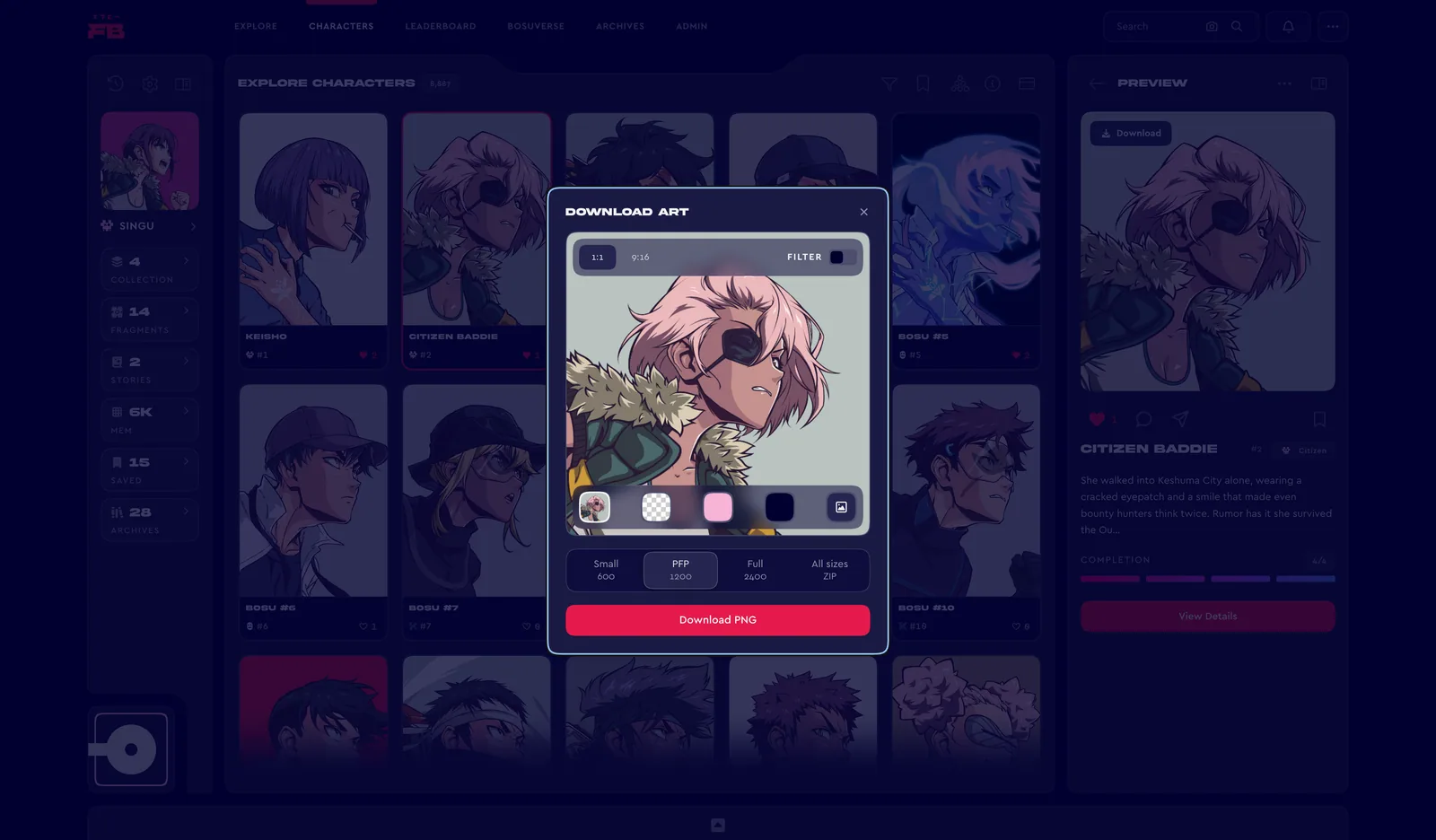
The Bosu Export Tool lives in Memo now. Sign in, open any Character from the Final Bosu Collection and press Download to save its art as a PNG, square for a PFP or 9:16 for a phone.
The preview updates as you pick your options. On a phone, tap the preview to show or hide them.
Backgrounds
Pick one from the row along the bottom of the preview.
- Original keeps the Character’s own background. Choose With logo in its menu to add the Final Bosu logo in FB Red or FB Blue.
- Transparent exports the Character on its own, with no background.
- Faction colour fills the background with the colour of the Character’s faction.
- Hex takes any colour you like, and remembers the last one on this device.
- Image puts a picture of your own behind the Character.
Shape and filter
The bar along the top of the preview sets both. 1:1 makes a square, the shape of a PFP, and 9:16 frames the Character as a phone wallpaper. Filter adds the classic Bosu look.
Sizes
Square exports come in Small (600×600), PFP (1200×1200) and Full (2400×2400). 9:16 exports come in Phone (1080×1920) and Full (2160×3840). All sizes downloads every size of that shape in one ZIP.
Safety
Final Bosu never sends art files or download links by email or DM. Downloads only happen in Memo, so treat any art file or download link sent in our name as fake.
·
Comments